How to deliver video files to a client, professionally
Published
Delivering a video doesn’t end when you export it and hit send. A format mix-up, a file that’s too large, a link that expired — none of these is rare, and every one of them stops your client in their tracks.
And the part most often overlooked is the screen your client receives the files on. However much time went into the work itself, if the last screen they see looks cluttered, that’s the impression that sticks.
This guide walks through delivery in the order you actually do it, from the checks before export to the wording of the delivery email.
1. What to agree before you export
Most delivery problems start not after the export but before it, with something nobody confirmed. At a minimum, agree these five points with your client.
- What it’s for
- The web, social media, an event screening and broadcast all call for different specs. Once you know the use, most of the points below tend to follow from it.
- File format and codec
- For the web, H.264 / MP4 is the safe choice. If the client will edit or process the footage further, they may ask for an intermediate codec such as ProRes.
- Resolution and frame rate
- Keep the settings you shot at, or does the client have a spec? Frame rate in particular loses quality if you convert it afterwards.
- Running time and number of deliverables
- Besides the main cut, do they need derivatives — a short version for social, versions with and without subtitles? A request that arrives after delivery means doing the work twice.
- Revision rounds and deadline
- Make clear before delivery how many rounds of revisions you will accept afterwards.
2. Video files are bigger than you think
Before choosing how to deliver, get a sense of how large the files will actually be. As a rough guide:
| Content | Approximate size |
|---|---|
| 5 min · Full HD · H.264 | 0.5–1GB |
| 5 min · 4K · H.264 | 2–4GB |
| 5 min · 4K · ProRes 422 HQ | 20–30GB |
| 30 min · 4K · ProRes 422 HQ | 100GB+ |
Actual sizes vary with bitrate and frame rate.
Delivered in H.264, a video stays within a few GB. Deliver in an intermediate codec, or hand over a full set of source footage, and it jumps to tens of GB. That rules out email attachments, and it can exceed the limits of typical file transfer services too.
Estimate the size before you export, and pick a delivery method that can take it. Do it the other way round and you’ll be hunting for a method after the export is done.
3. Choosing a delivery method
Free file transfer services
Quick, and clients already know how they work. For business use, though, check the following.
- Other companies’ ads appear on the download page — unrelated ads sit on the screen where your client receives your work
- Files are kept only briefly — many vanish within days, so if the client puts off checking, you have to send again
- You can’t tell who downloaded it — if the link is forwarded, you won’t know
Cloud storage share links
A good fit for clients you work with on an ongoing basis. But hand over a link set to “anyone with the link can view” and the share stays open with nobody managing it. Some clients’ internal policies also restrict access to outside storage.
Shipping physical media
For a full set of footage over 100GB, still a realistic option. It does cost you shipping time, and the effort of getting the drive back.
File transfer services with recipient verification
These verify each recipient and let you choose how long files are kept. If the service doesn’t make recipients register, it adds no burden on the client’s side. Some have high size limits and let you present the download page in your own company’s style.
This also solves the case where a client has told you they can’t accept password-protected zips. See the alternative to password-protected zips for details.
4. The download page is your final deliverable
This is the most overlooked point of all.
The first thing your client sees of the delivery isn’t the video — it’s the download page. And that page gets passed around: from the person you work with to their manager, or on to their own client. It happens all the time.
If that page carries other companies’ ads, the impression it leaves is decided by something that has nothing to do with the quality of your work. If it carries your company name and logo instead, that one send works as an introduction to your company.
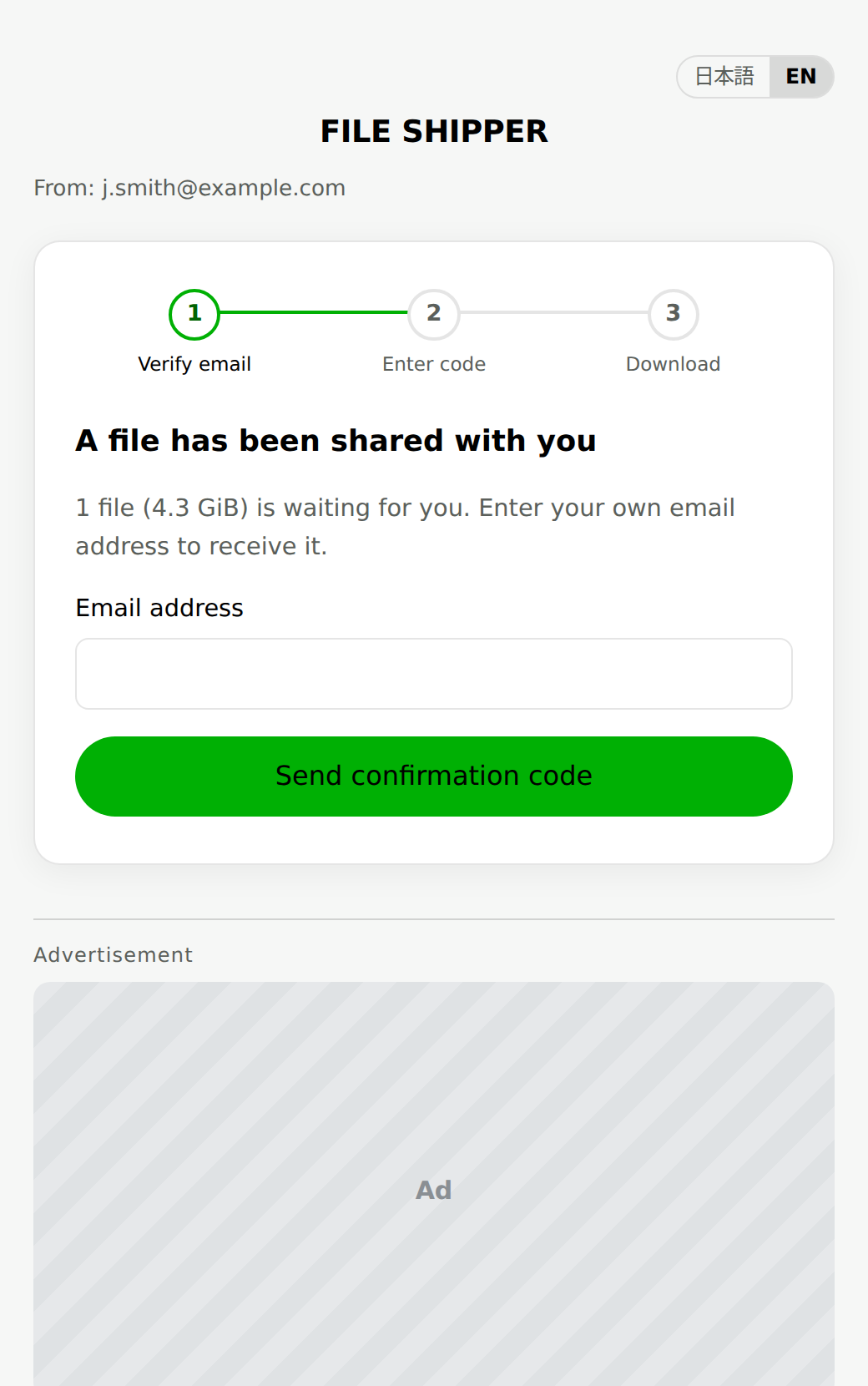
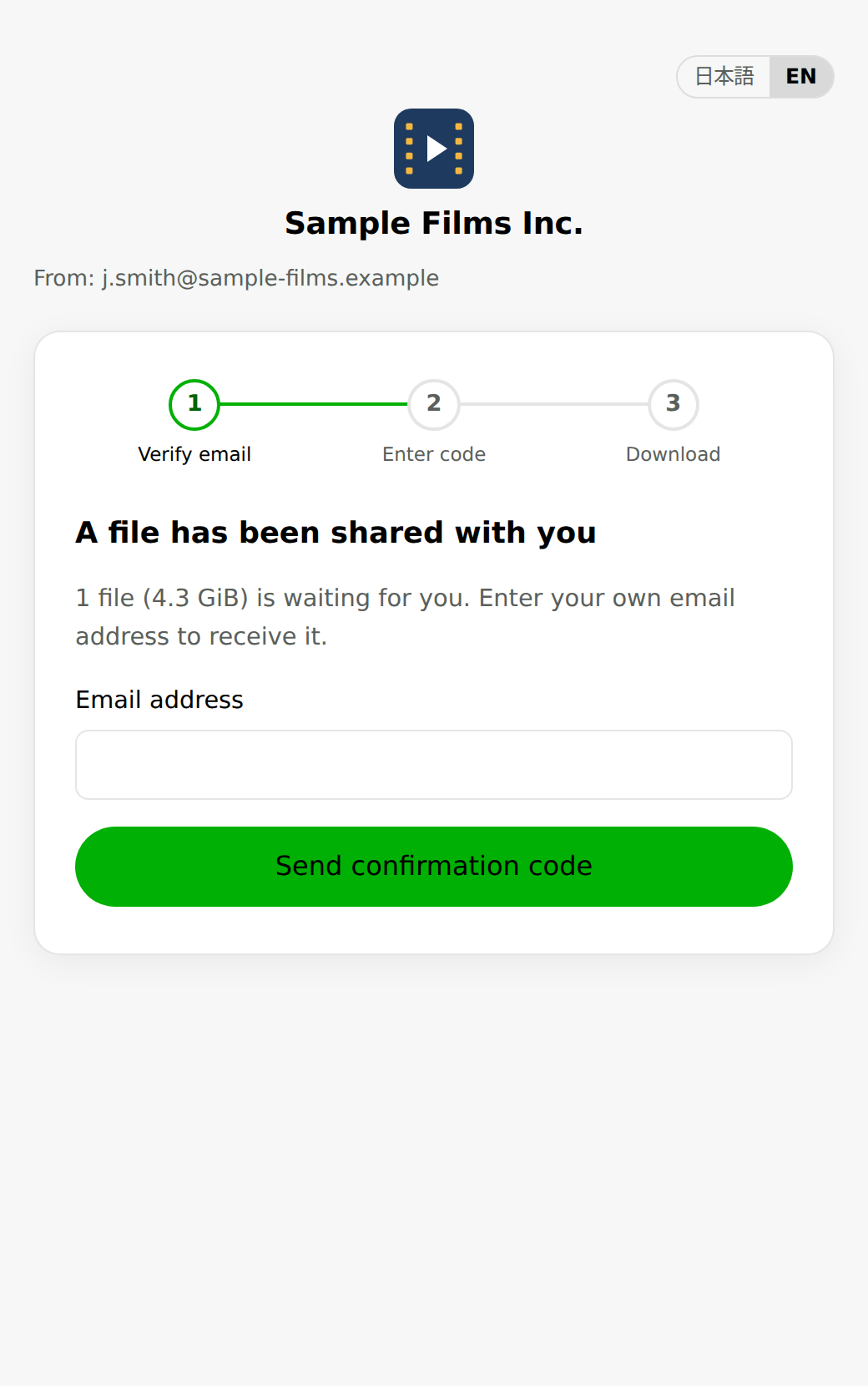
Illustrative screenshots. “A page that shows ads” is a FILE SHIPPER Free plan recipient page; the ad shown differs in practice. “A page with your company name and logo” is a Business plan recipient page, with a fictional company name, logo and address.
Using a free service for personal exchanges is fine. But when you hand work over to a client, it makes more sense to treat the page itself as part of your work.
FILE SHIPPER’s Business plan puts your own subdomain, company name and logo on the download page, with no ads. You can also show a company video and portfolio documents alongside the files, so every delivery becomes a touchpoint that can lead to the next project.
With up to 100GB per file and 500GB a month, it handles 4K footage and intermediate-codec deliveries (if a single file exceeds 100GB, split it or consider physical media from the previous section). Files can be kept for up to 7 days. Recipients verify themselves with a one-time code sent to their email address, so even if the link is forwarded, nobody but the addressee can download.
5. Delivery email template
Include what the client needs to review the files, not just the files, and you cut down on back-and-forth.
Dear [Name],

The video you commissioned is finished. You can review it at the link below.

■ Download link
[link]
* Available until: [date]

■ What’s included
- Main cut (4K / MP4 / 3:20)
- Short version for social media (1080×1080 / MP4 / 0:30)
- Subtitle file (SRT)

■ What to check
Please look in particular at typos, how names are written, and the audio balance.
If you need changes, it would help a great deal if you could include timecodes.

I can take revision requests until [date].

Best regards,
[Your name]
Stating the deadline matters most. With a service that keeps files for a limited time, the most common redo in video delivery is this: the client puts off checking, the link expires, and they ask you to send it again.
6. Common mistakes
- Exporting the proxy files
- Delivering the low-resolution files you edited with. After exporting, always play the file back and check the resolution.
- Mismatched color space
- Depending on export settings, colors can look different in playback than in the editor. Check playback on a different setup before delivering.
- Audio on one channel only
- Mishandle mono source audio and sound comes out of one side only. Check left and right with earphones.
- Working file names
- Don’t deliver a file called “final_v3_fix2_THIS.mp4”. Use a name the client can manage, such as “project_content_date.mp4”.
FAQ
- Can I just attach the video to an email?
- Email attachment limits typically range from a few MB to about 25MB. A video will almost certainly exceed that, so you need another method.
- How many GB can I send with a free service?
- It depends on the service, but a video exported in H.264 for the web usually fits. Intermediate codecs or a full set of source footage can exceed the limit.
- Is it rude to ask a client to create an account?
- It is best avoided. Choose a service that does not require the recipient to register.
- How long should I keep the files after delivery?
- It depends on the project, but keep the originals on hand until the revision period is over. Assume that files on a transfer service will be deleted automatically when they expire.
The download page is part of the work.
Deliver your work on a download page carrying your company’s logo and name. Up to 100GB per file.